Getting Started
Learn how to set up your profile, define products, and build your knowledge base
🚀 Getting Started: Training Your Exim Agent
Welcome to EximGPT! Before you start searching for buyers or suppliers, you need to tell your AI agent who you are. Think of this step not as "data entry," but as training your personal trade assistant.
The more context the AI has about your industry, products, and USPs, the more accurate its lead generation and email drafting will be.
Step 1: Complete Your Profile (The Foundation)
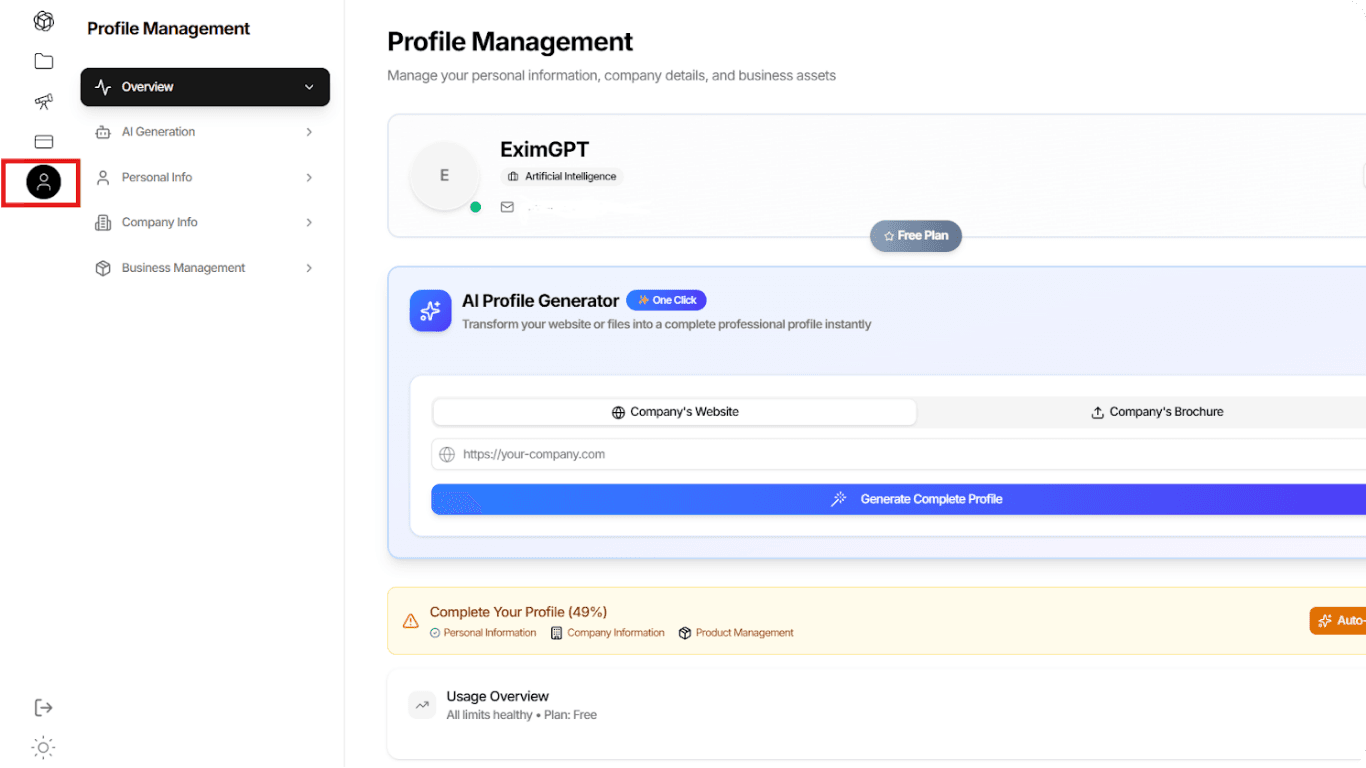
Navigation: Click the Profile Icon (User Avatar) on the left sidebar to access Profile Management.
You have two ways to complete your profile:
Option A: The "One-Click" AI Generator (Recommended)
Recommended
If you already have a company website, let our AI do the heavy lifting.
- Locate the AI Profile Generator box at the top of the page.
- Paste your Company's Website URL or upload your Company Brochure.
- Click "Generate Complete Profile".
- Review: The AI will auto-fill your Company Description, Industry context, and details. Always double-check this data to ensure it captures your brand voice correctly.
Option B: Manual Entry
If you don't have a website yet, or prefer total control, you can fill out the sections manually:
- Personal Info: Your contact details.
- Company Info: Your official entity name and location.
- Business Management: Your specific industry verticals.
💡 Pro Tip
Pay attention to the "Complete Your Profile" progress bar. Aim for 100% to unlock the full potential of the AI algorithms.
Step 2: Defining Your Products (Crucial for Sales)
Navigation: Go to Export Business Management → Export Products.
This is the most important step for the Lead Generation and Automated Outreach features. The AI uses the specific descriptions here to find buyers who are looking for exactly what you sell.
How to Add a Product:
- Click the + Add Product button on the right side.
- Product Name: Be specific (e.g., instead of just "Coffee," use "Robusta Green Coffee Beans Grade 1").
- Product Description: This is where you define your USP (Unique Selling Point).
- What makes it special? (Organic, Fair Trade, High Durability, etc.)
- Who is it for? (Wholesalers, Manufacturers, Retailers).

Why Detail Matters:
The text you enter here is directly used by EximGPT to generate Email Templates later.
Bad Description:
High quality software.Good Description:
An AI system designed to intelligently prospect, craft personalized outreach, and supercharge sales pipelines for import/export businesses.You can manage your portfolio by clicking the Edit (pencil icon) or Delete (trash icon) buttons on any product card.
Step 3: Build Your Knowledge Base (The Assets)
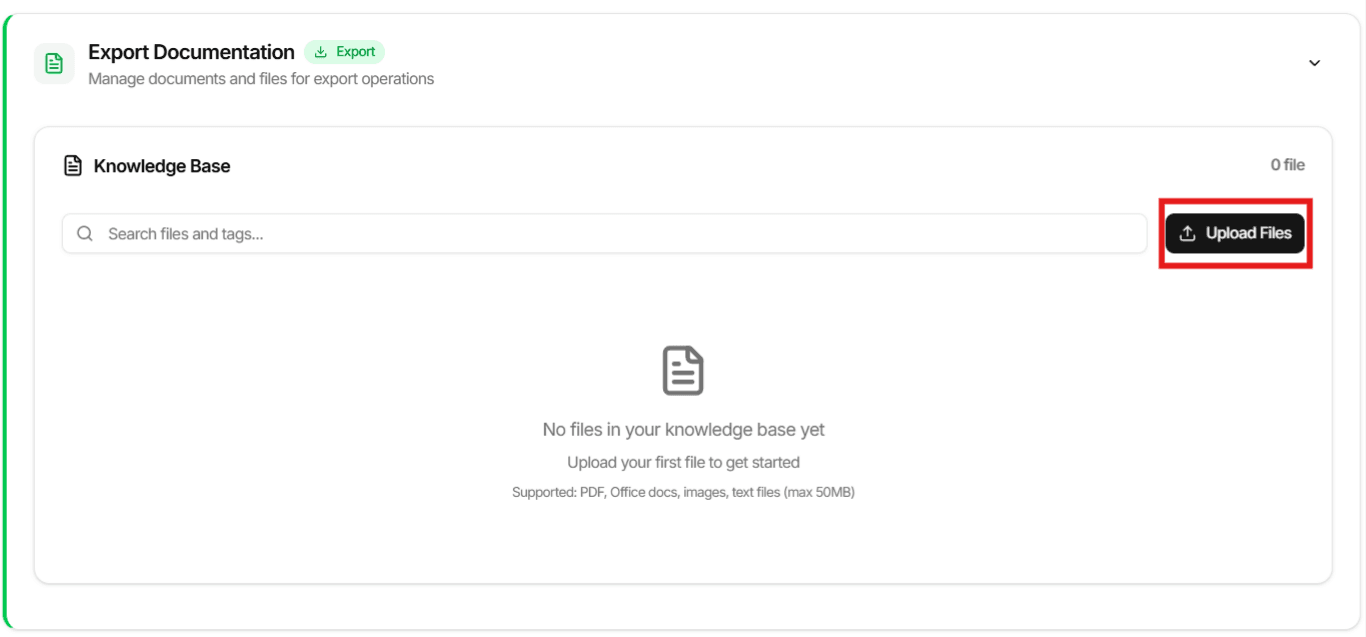
Navigation: Go to Export Documentation → Knowledge Base.
Your AI Agent can send emails, but it needs files to attach to them. This repository serves as your "digital briefcase."
Why Upload Files Here?
When you run an email campaign later, you can attach different files to your email, and it will pull the file from here.
How to Upload:
- Click the Upload Files button.
- Select your files. We recommend uploading:
- Company Portfolio/Brochure (PDF)
- Product Catalog
- Standard Pricing Quotes
- Certifications (ISO, FDA, etc.)
Supported Formats: You can upload PDFs, Office docs, images, and text files up to 50MB.
💡 Pro Tip
Use clear file names like 2024_Summer_Catalog.pdf so both you and the AI can identify them easily in the search bar.
How the AI Uses This Data
Once your profile and products are set up, EximGPT uses this "Context Layer" to:
- Filter Search Results: It will prioritize potential partners that match your specific Industry and Product Description.
- Draft Emails: When you use the "Email Template Management" or Email Campaign Automation, the AI will insert your USPs into the email body automatically, making your cold emails sound personalized and professional.
✅ You're Ready!
Once you've completed all three steps, your AI agent is fully trained and ready to help you find the perfect business partners. Move on to the next phase: Discovery!