Finding Partners
Learn how to use AI-powered search to find buyers and suppliers through conversation
🔍 Finding Partners: Exim Agent Search
Forget scrolling through endless directories. With EximGPT, finding buyers or suppliers is as simple as chatting with a colleague.
Step 1: Start the Conversation
Navigation: Click on the Search or AI Agent tab in the sidebar.
Instead of typing keywords into a search bar, you will see a chat interface. This is your dedicated trade consultant.
How to Ask:
Simply tell the AI what you want to achieve. Be conversational!
For Exporters:
Help me find buyers for banana export to the Middle East.For Importers:
I need reliable suppliers of cotton fabric in Vietnam.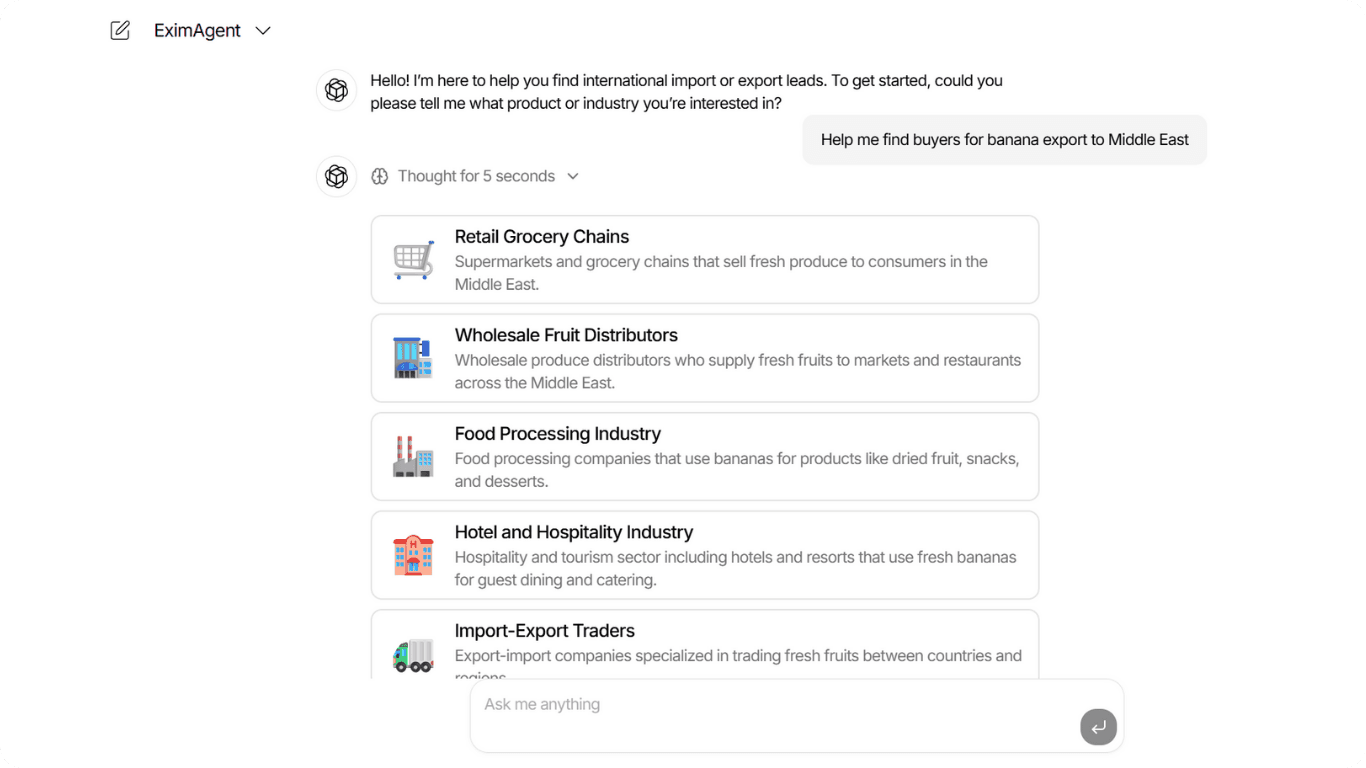
The more specific your request, the better the AI can understand your needs and find the right partners.
Step 2: Strategic Segmentation
Before showing you a random list of 1,000 companies, the AI first analyzes the market structure. It breaks down your request into logical Customer Segments.
Why is this better?
It helps you target the right type of partner.
Example Segments:
- Retail Grocery Chains: Best if you have consumer-ready packaging.
- Wholesale Distributors: Best if you sell in bulk quantities.
- Food Processing Industry: Best if you sell raw ingredients (e.g., for dried fruit or snacks).
💡 Insight
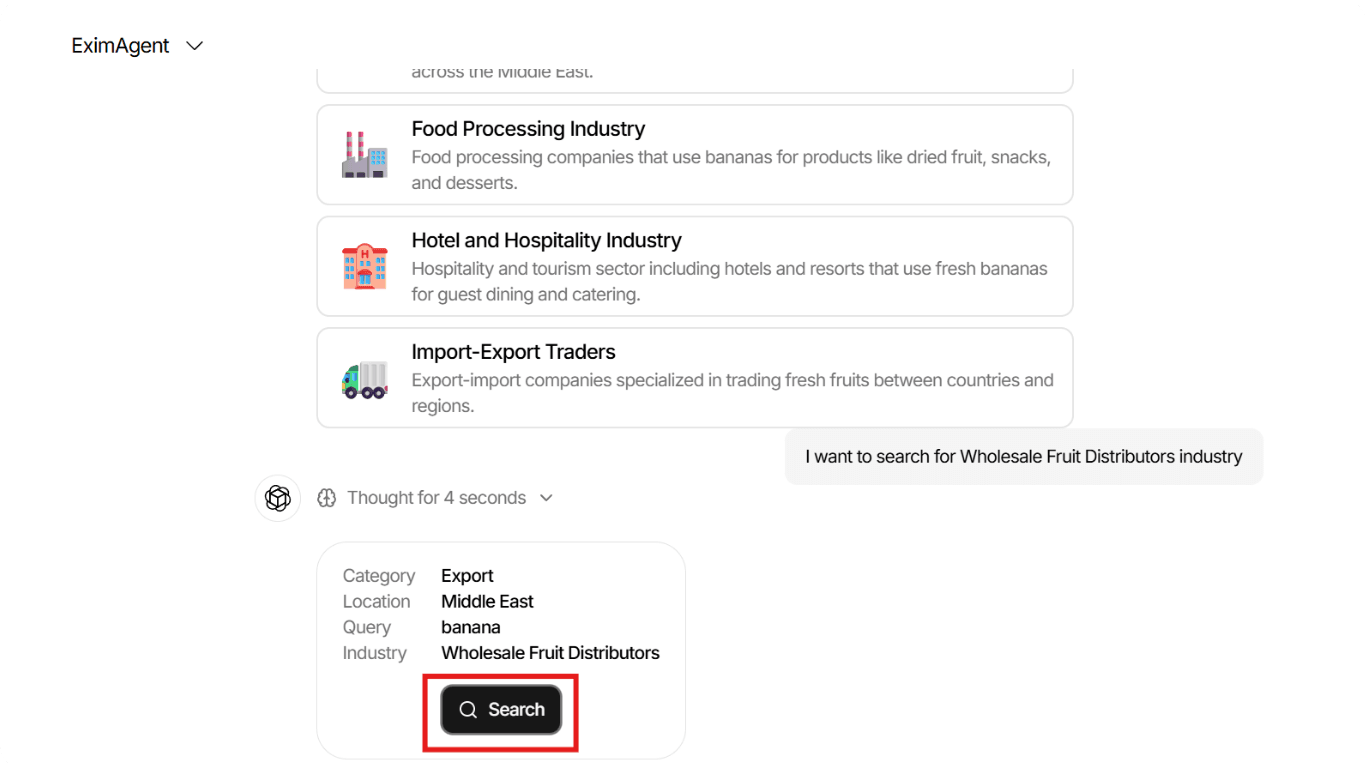
In the example shown, the AI suggested 5 distinct sectors for banana exports, including "Hotel and Hospitality" and "Import-Export Traders."
Step 3: Deep Dive into a Segment
Once you see the segments, click on the card that matches your strategy.
Example: Clicking on "Retail Grocery Chains" will command the AI to search specifically for supermarket chains in the Middle East that import fresh produce.
The AI will then generate a list of verified companies within that specific category, saving you hours of manual filtering.
Pro Tip: Using Your Profile Data
Remember the Product Profiles you set up earlier? When you search, the AI is secretly cross-referencing your Product USPs with these buyer segments. It prioritizes buyers who are looking for exactly the kind of quality and specs you listed in your profile.
⏳ Please Note
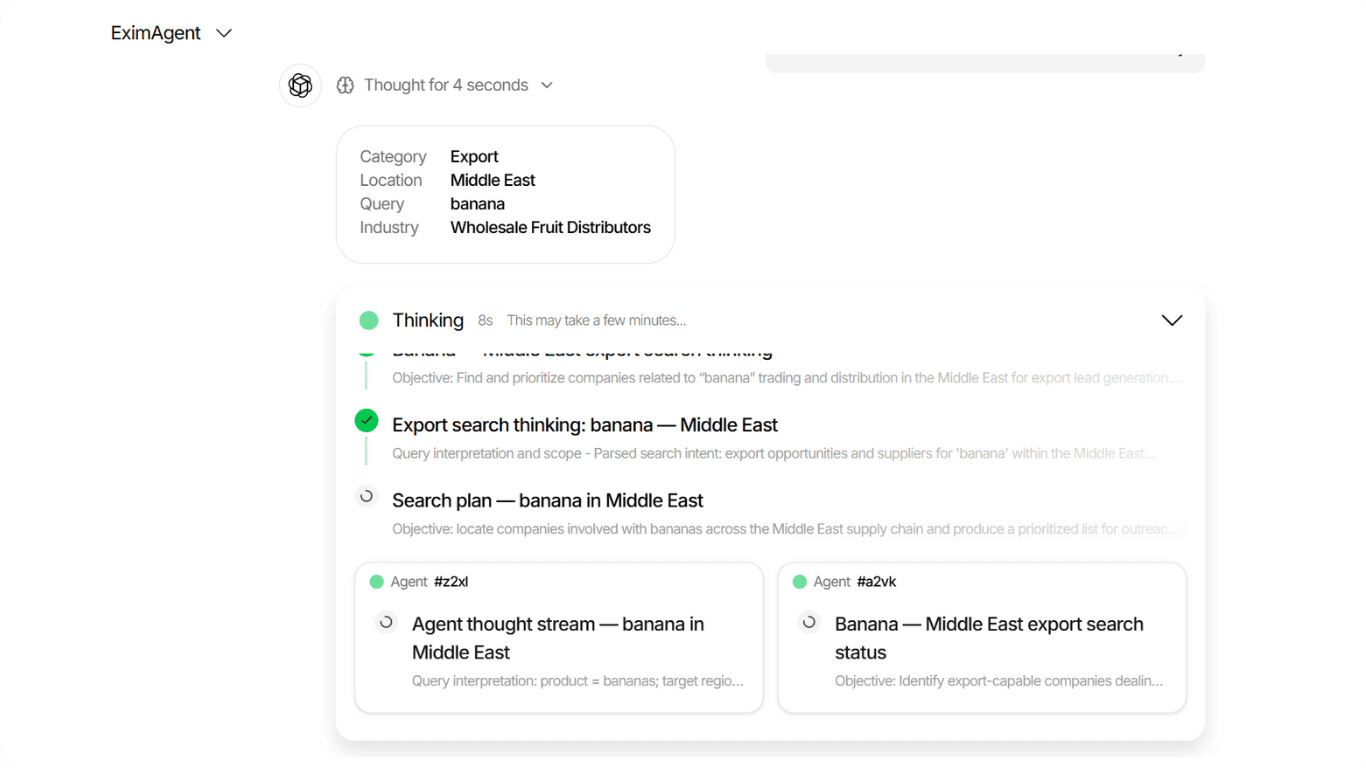
This process is complex! Once you click a segment, please allow a few minutes for the AI to "digest" the market data. It is currently scanning thousands of records, verifying trade activities, and cross-referencing them with your Company Profile to ensure the best possible match.
The Result:
After this short wait, you will be presented with a highly curated list of verified companies that are actually relevant to your business, saving you hours of manual filtering.
Step 4: View Your Results
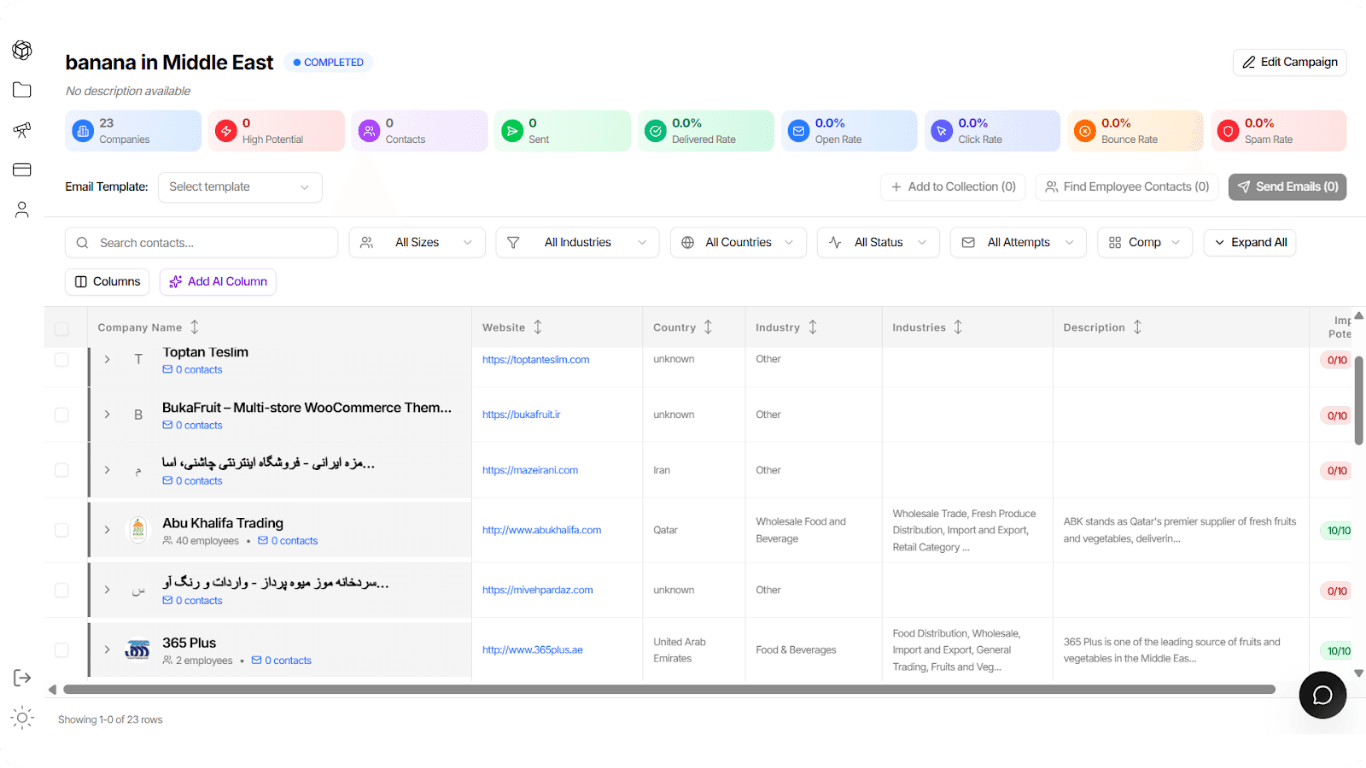
Once the AI finishes its analysis, the system will automatically redirect you to the Collection Tab.
Here, you will see a comprehensive list of companies that matched your search criteria.
🔗 Next Step
To learn how to interpret the AI Potential Scores, filter for the best leads (High Potential vs. Low Potential), and enrich contact data, please refer to the Lead Analysis & Management guide.